Plans and roadmap / Work and money
Job Camera
A site camera that files every photo under its job, with a number, a stamp and the untouched original beside it.
This is a plan, not a promise. It can change, and no release date is promised. The screens below are drawings made from the plan, not screenshots of a finished app.
Why this app
Tradespeople and property managers need site photos that sit under the right job and carry a time and a place. Many stamp cameras charge a weekly or yearly subscription, or a one-time fee for the full version, and some show ads. Job Camera is free, with no account and no server, because the photos of a client's kitchen or roof are private. It does one job: documenting a job in photos.
How it might look
Poster layout. Navigation: a stack of screens with header actions; a round shutter button sits in the bottom bar of the Projects screen. Type: standard font for headings, standard font for text, monospaced for numbers. Corners 12 points, compact spacing, tile cards.
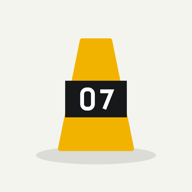
#F2B300Accent, dark mode #FFC933Background #F4F4EFBackground, dark mode #20201CIcon idea: an evidence marker with a number standing on a strip of photo frames
Features
Solid marks are planned for version 1. Hollow marks come later, if at all.
Camera and stamp
- Round shutter on the start screen opens the camera in the current job
- Live stamp preview with date, time, time zone, coordinates, accuracy, heading and address
- Shot type: Before, After, Progress, Issue or Done
- Numbered photos 001, 002 and so on; a deleted number is never reused
- Four stamp styles and your logo
Originals and proof
- The original is kept untouched beside the stamped copy
- SHA-256 fingerprint for every original and stamped file A fingerprint shows whether a file changed. It does not prove when or where a photo was taken.
- Imported photos are marked as imported and keep their own time and position
Before and after
- Ghost overlay of the Before photo to line up the After shot
- Arrows, boxes, ellipses, lines and text on the stamped copy only
- Pairs shown side by side in the report
Reports and backup
- PDF report with cover, logo, 1 to 6 photos per page, captions and an optional sign-off block
- ZIP with originals, stamped copies, CSV, KML and the PDF
- Backup and restore as one file
- German language The app is English only for now.
- Stamp text in Chinese, Japanese and Arabic
- Android release
What we leave out
- No account and no cloud. photos of a client's home stay on your phone unless you share them
- No claim of legal evidence. the app records what the phone reports and does not check the phone's clock or location
- No subscription, no ads, no photo limit. the app has no running cost to pass on
- No photo editor and no paper scanning. it documents jobs and nothing else
Plan and honest status
| Spec | done | Spec, research and decisions are written down. |
|---|---|---|
| Engine | done | Stamping, numbering, fingerprints and reports pass unit tests. |
| Screens | in progress | Poster look is built. It has not been seen on a real phone. |
| Tests | in progress | Many unit tests pass. Nothing has run on a real iPhone or Android phone, and the simulator has no camera. |
| Store | in progress | Store texts and a build exist. Not yet submitted; Apple's review comes first. |
The same plan is the basis for the code. If the code and this page disagree, the page is wrong and gets fixed.