Plans and roadmap / Productivity
Maker Print
Print a pattern, stencil or template at its real size, and check it with a ruler.
This is a plan, not a promise. It can change, and no release date is promised. The screens below are drawings made from the plan, not screenshots of a finished app.
Why this app
Printing at true size usually fails quietly: the print dialog scales the page, so a pattern comes out two percent small. Apps for it are often paid up front or sell a weekly plan, and some force an account or put a watermark on the print unless you watch an ad. Maker Print prints with scaling off, puts a 100 mm check bar on every page and tells you what to measure.
How it might look
Grid layout. Navigation: a stack of screens with a floating New button; the editor has a bottom bar (Add, Align, Layers, Sheet, Edit). Type: rounded font for headings, rounded font for text, rounded font for numbers. Corners 10 points, regular spacing, outline cards.
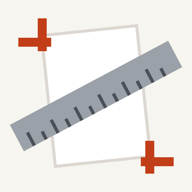
#C23E19Accent, dark mode #FF8A5FBackground #F5EFE8Background, dark mode #25201BIcon idea: a white page turned a little, vermilion crop marks at two corners and a steel ruler across it
Features
Solid marks are planned for version 1. Hollow marks come later, if at all.
Print at the size you designed
- Pages written at the paper size and sent to AirPrint without scaling
- PDF pages keep their designed size; SVG size comes from its units, or you say which program made it
- Photos show their resolution live while you type a size; set the scale from one known length
- A 100 mm check bar on every print, and a warning when there is no room for it
- Calibrate wizard: print a test sheet, type what you measured, get a correction per printer and paper Tested with virtual printers. Your own printer is the final judge.
Big jobs and templates
- Sheets up to 3 metres split into pages with overlap, registration marks, page labels and an assembly map
- Rulers up to 3 m, graph paper, dot grid, lined paper, circle templates
- Add text, rectangles, ellipses and lines; repeat in rows and columns; trim marks; mirror for transfer paper
- Units in mm, cm and inches, with fractions such as 3 1/16 in
- Export a vector PDF at the chosen paper size
- DXF import, PNG export, label sheet catalogues, barcodes, custom fonts
What we leave out
- No promise of exact size on every printer. drivers can still scale, so the check bar is the proof
- No account, no ads, no watermark. your files never leave the phone
- No full SVG support. text, embedded pictures, patterns and filters are listed before you print
- No cloud storage. projects stay on the phone
Plan and honest status
| Spec | done | Written in 2026-10, with a research file on the leading apps. |
|---|---|---|
| Engine | done | Page, scale, tiling and calibration maths have 1,371 automated tests. |
| Screens | in progress | The new look is in the code as version 1.2.0 (tokens, graph-paper home, new icon). It has not been seen on a phone or a simulator. |
| Tests | in progress | Printing was tested with virtual printers on a simulator. Real printers and real paper are not tested. |
| Store | done | Version 1.1 is in the App Store. The redesign is a later update. |
The same plan is the basis for the code. If the code and this page disagree, the page is wrong and gets fixed.